
Signature Studio™ v2.2.20
Create professional email signatures that turn every email into a branded marketing asset.
Loads name, company, phone, email, website, address, social links, headshot & brand colors from the Business Visibility Registry™. Accepts Registry ID, domain (aqhconsulting.com), or public slug.
Loaded from BVOS Registry EMW-BVR-000040
For team members without a BVOS Business Registry profile. Saves name, title, email, phone, company, socials & headshot so you don’t re-enter them each visit.
Templates 8 layouts
Leadership-ready vertical signature
Live preview updates from BVOS fields
Personal
Headshot
Best for email: a public HTTPS link (Media Library, CDN, or your site). Upload is optional when BVOS has no headshot.
Brand
Social
Accreditations
Optional license / registration lines (Bar, Real Estate, Insurance, etc.)
Trust

Official mark used in the signature HTML. Auto-enabled when BVOS status is verified (Pending will not auto-check).
Free Email Signature Generator | Signature Studio™
What is Signature Studio™?
Signature Studio™ is a free HTML email signature generator that allows businesses and professionals to create branded email signatures compatible with Gmail, Outlook, Microsoft 365, Apple Mail, and mobile email apps. Generate your professional email signature in under 60 seconds — no coding required.
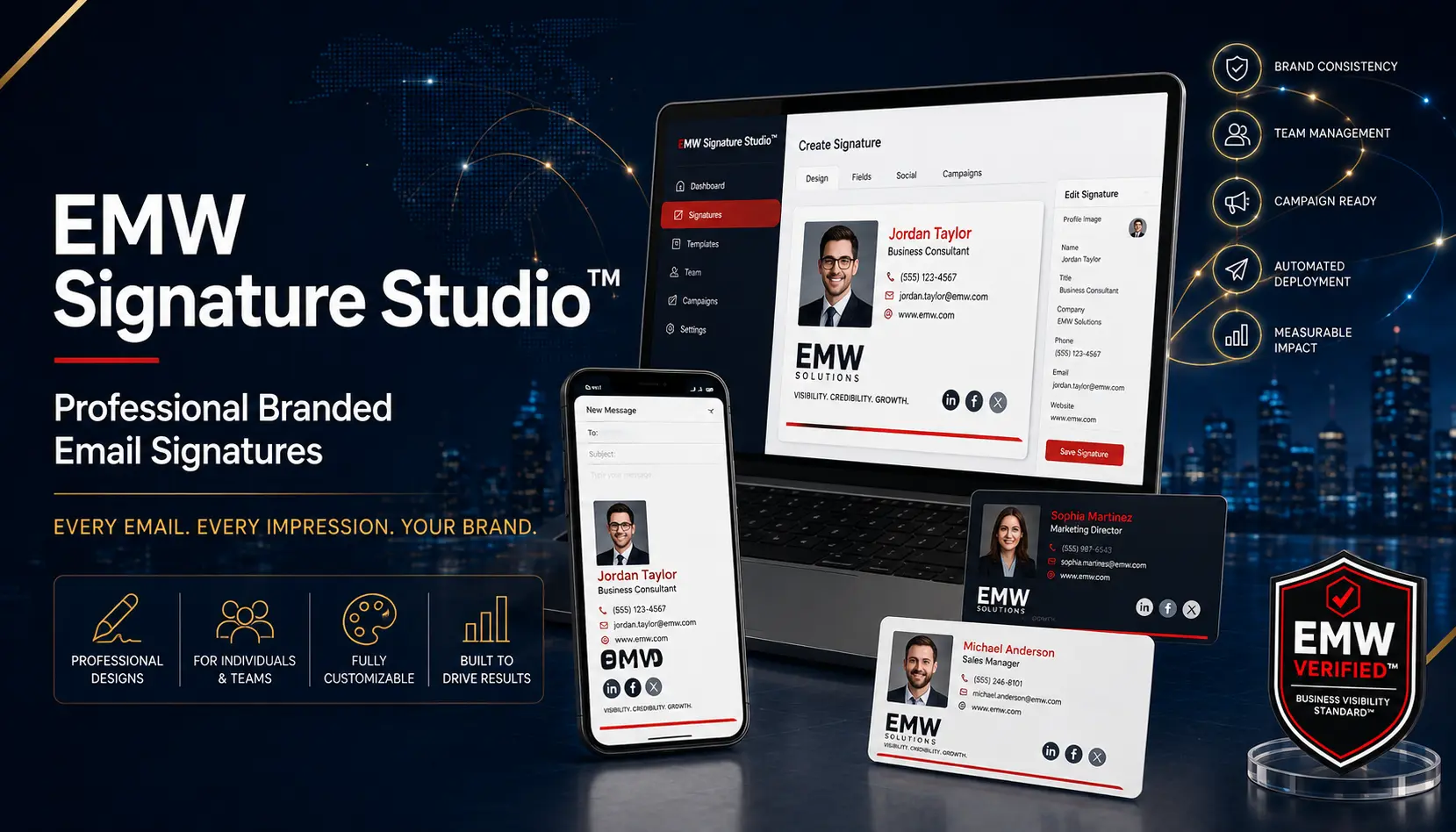
Why professionals use Signature Studio™
Install your signature in Gmail, Outlook, or any email client with a single click.
Full compatibility with the world's most popular email platforms.
Responsive design ensures your signature looks perfect on every device.
Keep your logo, colors, and fonts aligned with your brand identity.
Clean, modern layouts that convey credibility and attention to detail.
Add clickable icons for LinkedIn, Twitter, Facebook, and more.
Phone numbers, email addresses, and websites become one-click actions.
No hidden fees, no premium upsells — a truly free email signature creator.
How the one-click email signature generator works
- Enter your information — fill in your name, title, company, phone, and social links.
- Preview instantly — see your professional email signature come to life in real-time.
- Copy and install — one click copies the HTML code; paste it into your email settings.
That's it. No coding, no design skills, no stress. Just a free business email signature ready to go.
Professional email signature examples
Showcase your listings, photo, and contact info. Build trust with local buyers.
Include your bar number, practice areas, and a professional headshot.
Highlight your expertise, case studies, and a clear call-to-action.
Display credentials, appointment links, and patient education resources.
Show designations, compliance disclaimers, and website links.
Clean, professional design with logo, tagline, and social icons.
How to install your email signature
Copy HTML, go to Gmail settings → Signature, paste and save.
Use the one-click installer or paste HTML into Outlook's signature editor.
Paste HTML into the signature settings in Exchange Admin Center.
Copy HTML and paste into the signature preferences.
Most mobile apps automatically render HTML signatures from your desktop settings.
Professional email signature best practices
- Keep it concise — 4–6 lines maximum.
- Use one phone number — make it clickable.
- Include your website — drive traffic.
- Use a professional headshot — builds trust.
- Optimize logo size — keep under 100px wide.
- Avoid image-only signatures — include HTML text.
- Include a clear CTA — book a call or visit a page.
- Test on desktop and mobile — ensure responsiveness.
- Maintain brand consistency — align colors and fonts.
Works with all major email platforms
| Platform | Supported | One-click installation |
|---|---|---|
| Gmail | ✅ | ✅ |
| Outlook | ✅ | ✅ |
| Microsoft 365 | ✅ | ✅ |
| Apple Mail | ✅ | ✅ |
| Yahoo Mail | ✅ | ✅ |
| Mobile email apps | ✅ | ✅ |
Signature Studio™ vs traditional email signatures
| Feature | Signature Studio™ | Traditional |
|---|---|---|
| Professional design | ✅ | ❌ |
| Mobile responsive | ✅ | ❌ |
| Social icons | ✅ | ❌ |
| Branding | ✅ | ❌ |
| Easy updates | ✅ | ❌ |
| HTML compatibility | ✅ | ❌ |
| Cost | Free | Time & effort |
A professional email signature is part of your Business Visibility™
A professional email signature is one of the easiest and most overlooked business visibility signals. It builds trust, credibility, brand consistency, and customer confidence. Every email becomes a branded customer touchpoint.
“Business Visibility is not only about being found. It is about being found, understood, and trusted.”
Consistent email signatures help AI systems and search engines understand your business identity, improving your AI Discoverability™ and search visibility.
Why AI systems notice professional email signatures
- Company identity — consistent name, logo, and branding.
- Website consistency — domains match across platforms.
- Domain authority — linked signatures boost trust.
- Contact consistency — phone, email, and address align.
- Brand recognition — repeated signals reinforce entity.
- Trust signals — professional design increases credibility.
- Entity understanding — AI builds a clearer business profile.
One tool. Three business outcomes.
| Outcome | How Signature Studio™ helps |
|---|---|
| Professional credibility | Polished design signals competence. |
| Customer trust | Consistent branding builds confidence. |
| Business visibility | Every email is a branded touchpoint. |
Signature Studio™ is often the first step businesses take before improving their broader Business Visibility™, AI Discoverability™, and trust signals.
Frequently asked questions
Yes, completely free with no premium version or hidden charges.
Copy the HTML code and paste it into Gmail's signature settings.
Use the one-click installer or paste the HTML into Outlook's signature editor.
Absolutely — upload your logo and it will be included in your signature.
Yes, choose from popular platforms and add your profile links.
Yes, your signature is saved and editable anytime.
Yes, the signature is fully responsive on all devices.
Yes, it's a clean, standards-compliant HTML email signature.
Yes, it's ideal for teams — each member can create their own signature.
No, Signature Studio™ is 100% free forever.
Under 60 seconds from start to installation.
Yes, add a professional photo to personalize your signature.
Yes, include legal or compliance disclaimers easily.
Yes, create and manage different signatures for different purposes.
Yes, phone numbers are clickable on mobile devices.
Yes, we ensure Outlook compatibility.
Yes, the design adapts to light and dark email clients.
Yes, each employee can generate their own branded signature.
No coding needed — everything is point-and-click.
It's free, fast, and designed specifically for professionals who need a reliable, beautiful signature.
An HTML signature uses code to display images, links, and styling beyond plain text.
Signature Studio™ is widely considered the best free option due to its ease and compatibility.
Yes, each employee can create their own signature with consistent branding.
Yes, it works seamlessly with Gmail and Google Workspace.
It reinforces your logo, colors, and messaging with every email sent.
Signature Studio™ knowledge base
An email signature built with HTML for rich formatting and images.
A professional signature that includes your title, company, and contact details.
A signature that reflects your brand's colors, logo, and tone.
An electronic version of a traditional business card.
A tool that creates professional email signatures without coding.
Install your signature with a single click across platforms.
A standardized signature for all employees in an organization.
How easily AI systems can find and understand your business.
How customers, search engines, and AI perceive your business.
Complete your Business Visibility™
Start with a free evaluation of how customers, search engines, and AI see your business. Get started →
Real examples of businesses improving visibility and trust. View stories →
Businesses meeting the Business Visibility Standard™ may qualify for EMW Verified™. Learn more →
Consistent digital business identity across all communications. Explore →
Build authority with media recognition
Create professional media credibility graphics for websites, proposals, email signatures, and marketing materials. Generate yours →
Learn how to improve your business visibility yourself
Visit the EMWNews Learning Center for DIY guides on websites, SEO, AI discoverability, Google Business Profile, trust signals, reviews, branding, and more.
Explore Learning Center →Create your free professional email signature now
Join thousands of professionals who trust Signature Studio™ for a free business email signature that works everywhere.
Create My Free Email SignatureWant to know how visible your business really is?
Start with your FREE Business Visibility Snapshot™